Apple Pay / Google Pay / Apple Store
🍏 Add card to Apple Pay (Flexy Travel HG)
How to add a Flexy Travel HG card to Apple Wallet and complete verification
💳 Apple Pay for Flexy Travel HG
Apple Pay is available only for Flexy Travel HG cards (issuer country: Hong Kong).
Recommendations before adding the card (important)
Before you add the card to Apple Wallet, we recommend:
- 🌍 Change the region / address in your device settings or Apple ID from Russia to Hong Kong — guide: Apple Store (Hong Kong)
- 🛡️ Turn on a VPN using any location except a Russian one.
- 📍 Make sure the region and country data on the device match the card issuance region (Hong Kong).
Important: contactless payments through Apple Pay work only in countries / regions where Apple Pay is not restricted.
Step 1. Add the card to Apple Wallet
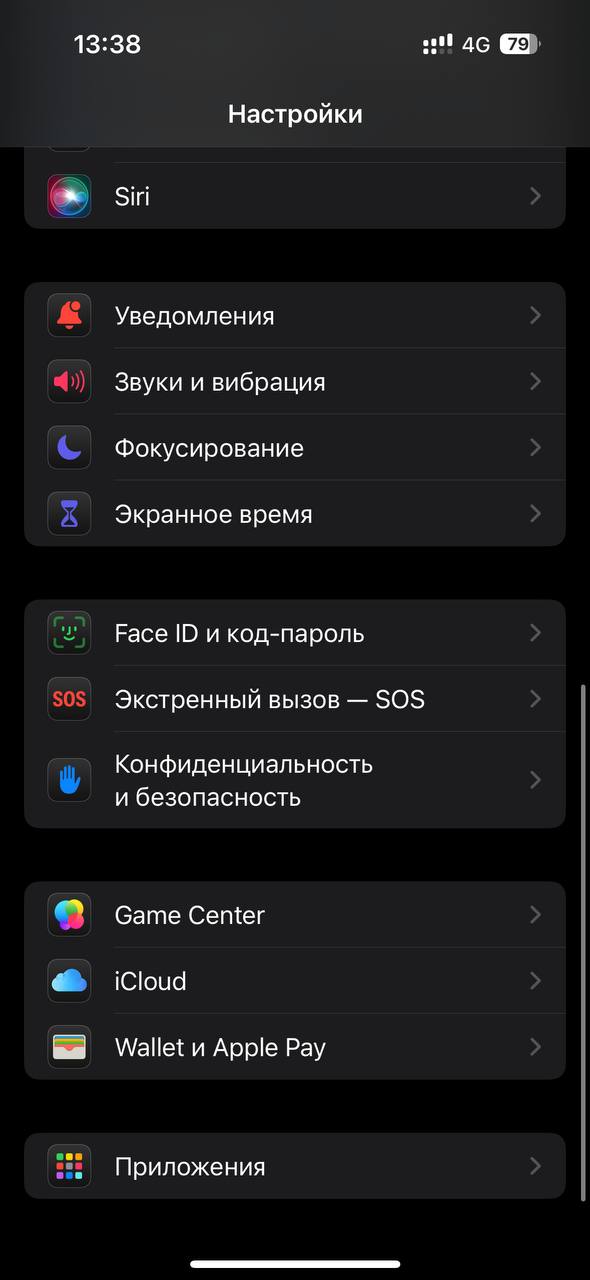
- Open the Settings app
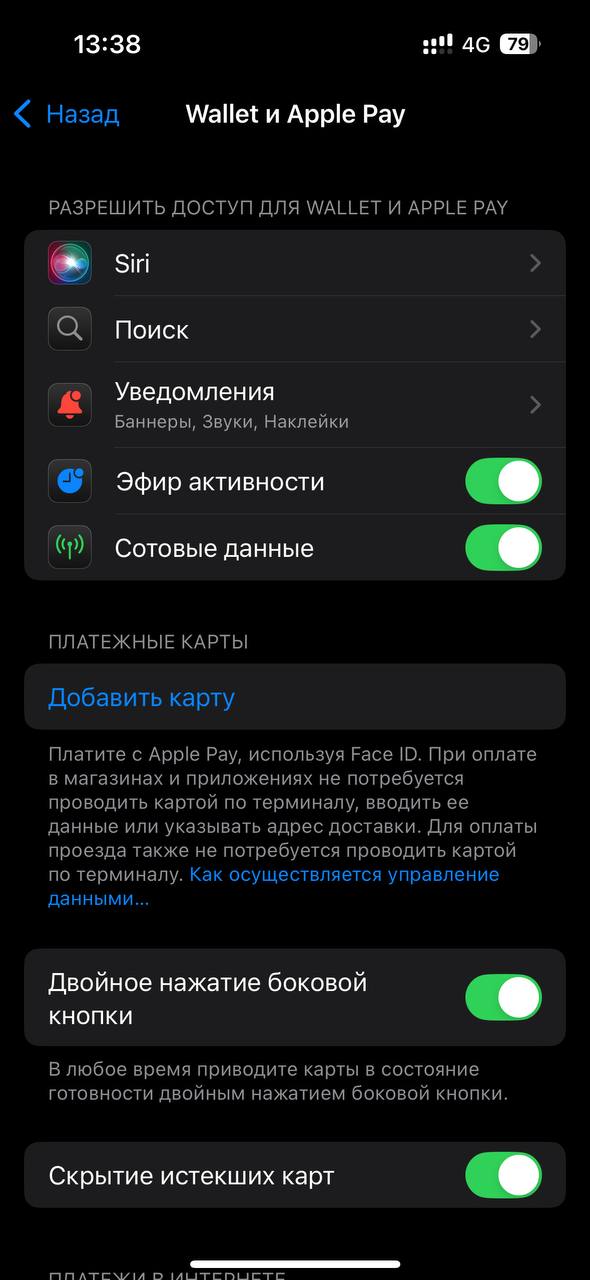
- Go to Wallet & Apple Pay
- Tap Add Card (in the “Payment Cards” section)
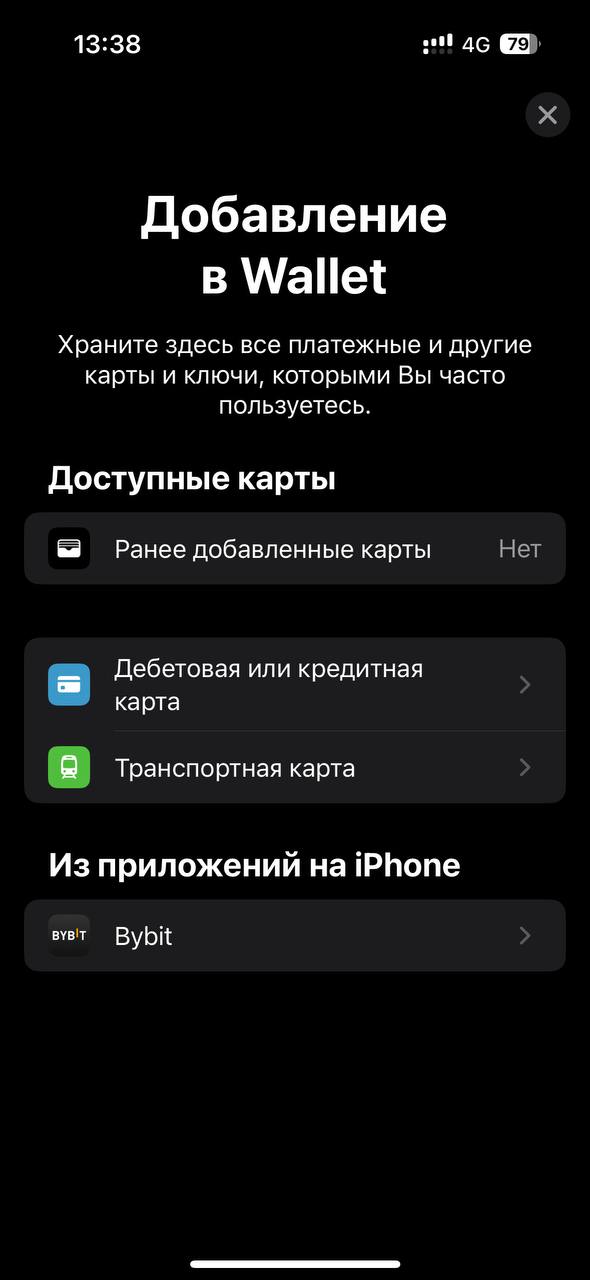
- Choose Debit or Credit Card
- Tap Continue
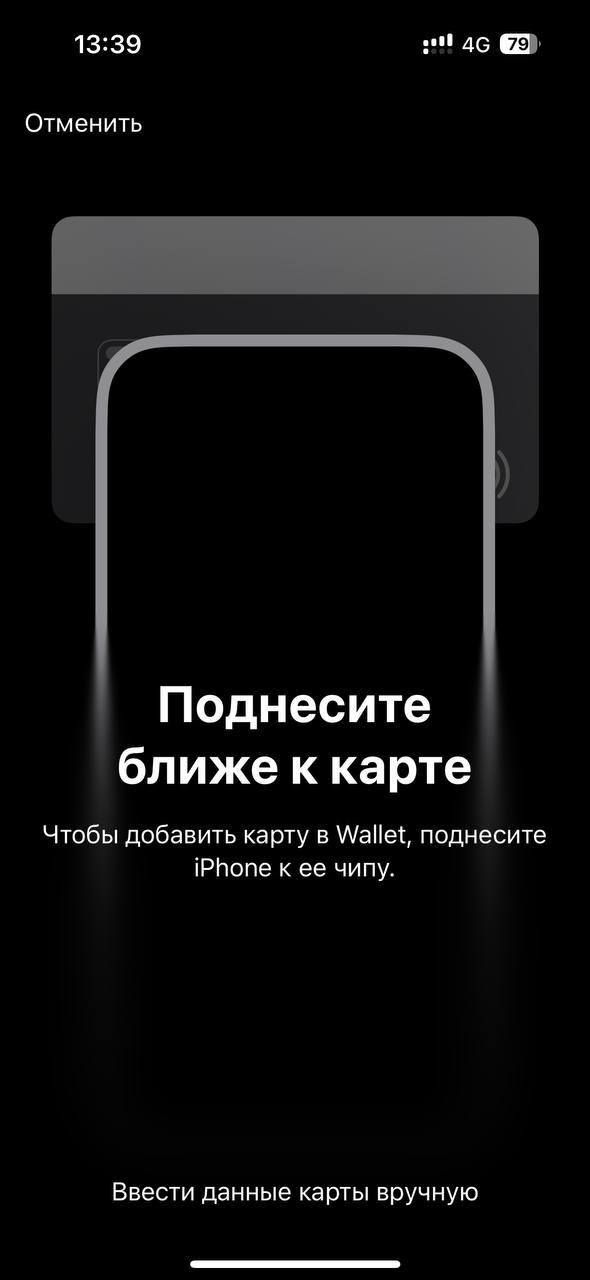
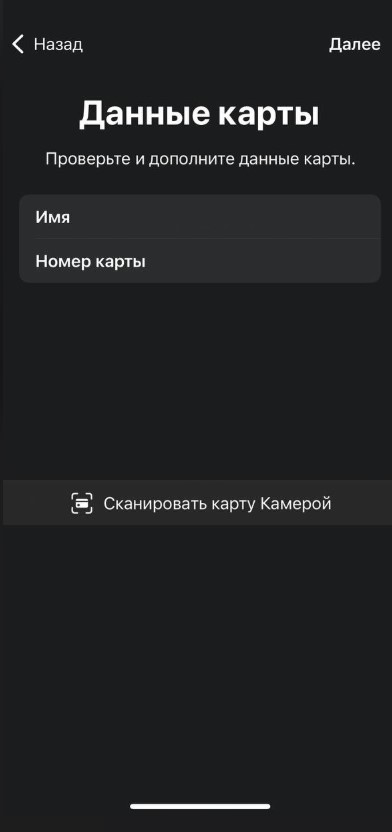
- Choose Enter Card Details Manually
- Enter your first and last name in Latin letters and the card number, then tap Next
- Enter the expiration date and security code (CVV), then tap Next
- Accept the terms of use (Agree)


Common expiration date issue
Make sure the expiration date is entered in the correct format, for example: 01/2024
(that is, the year is entered in full — 4 digits).
Step 2. Verify the card
After the card is added, the system may ask you to verify it:
- In the Card Verification section choose Phone
- Tap Next
- In Settings → Wallet & Apple Pay, open your card and tap Verification
- Enter the verification code and tap Next
- Done — the card is activated
Where to get the verification code
The confirmation code is sent to our Telegram bot within a few minutes.
If it does not arrive, repeat the verification flow or contact support: https://t.me/flexy_sup
If the card is not added or verification fails
- Check that the region / address has been changed to Hong Kong and that the VPN is enabled (not Russia).
- Try the add / verification process once again.
- Make sure you enter the card details manually and without mistakes.