🏬 Apple Store (Hong Kong) for Flexy Travel HG
How to switch Apple ID to Hong Kong and add the card for Apple Store payments
Apple Store (Hong Kong): switch region and add a Flexy Travel HG card
Attention! For the Flexy USA product, Apple Store setup is different —
see the guide for Flexy USA.
For Flexy Singapore, use the Singapore region and add the card directly during the region change —
see the guide for Flexy Singapore.
For Flexy Travel SG, the issuer is in Singapore, but the Apple Store region must be United States —
see the guide for Flexy Travel SG.
This guide will help you:
- switch the Apple ID region to Hong Kong;
- fill in the billing details;
- add the Flexy Travel HG card to Payment & Shipping for Apple Store purchases.
Step 1. Change the Apple ID region to Hong Kong
- Open Settings on your iPhone
- Tap Apple ID (your name at the top)
- Open Media & Purchases
- Tap View Account
- Go to Country / Region
- Choose Change Country or Region
- Set the region to Hong Kong
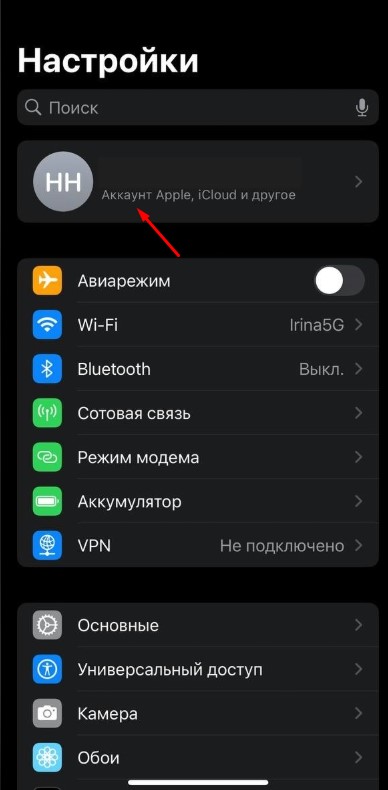
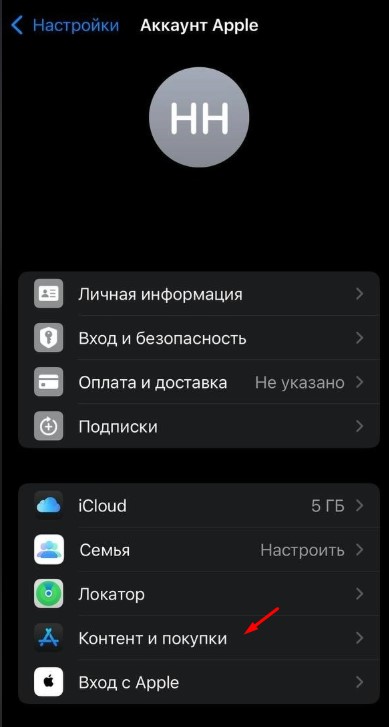
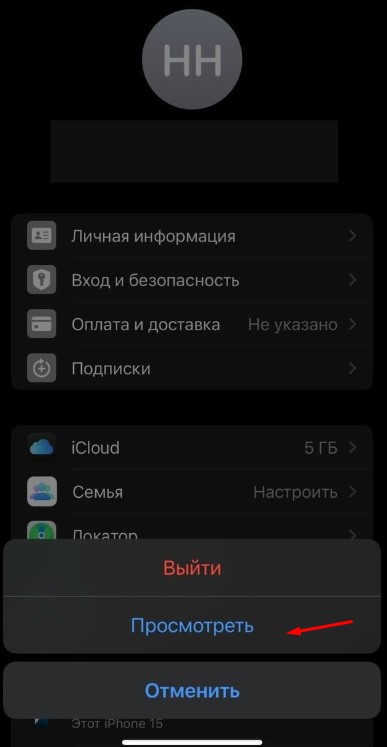
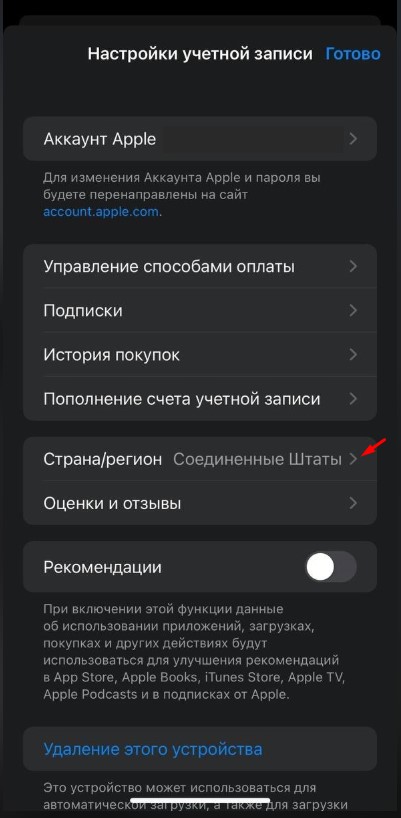
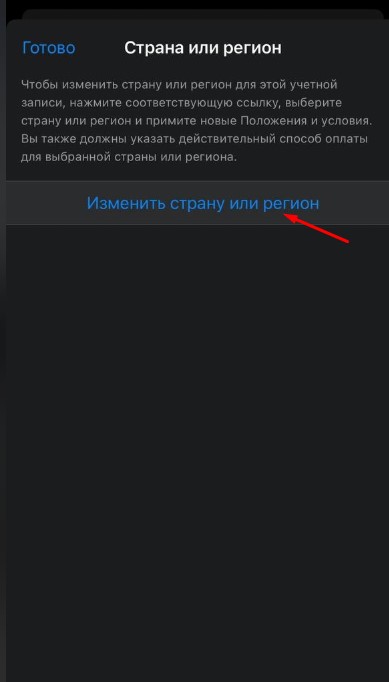
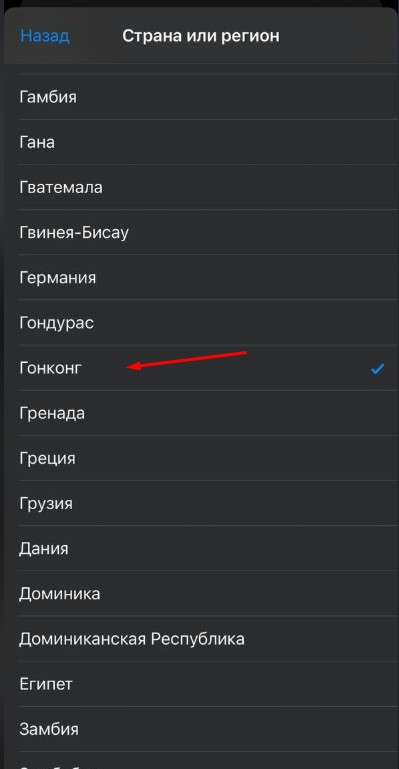
Step 2. Fill in the billing details
- In the Terms and Conditions screen, tap More → Agree
- In payment methods, choose None (it may also appear as 無)
- Go to the Billing Address section and fill in the details
Enter the data exactly like this
-
First name: your first name in Latin letters
-
Last name: your last name in Latin letters
-
Address line 1: 20/F North Point Government
-
Address line 2: 333 Java Road, North Point, Hong Kong
-
Phone: 8528563987 or 852856 + any 4 random digits if the address is not accepted
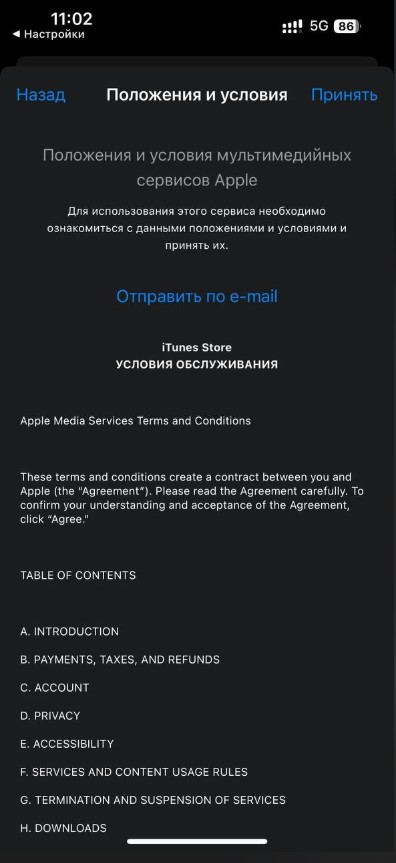
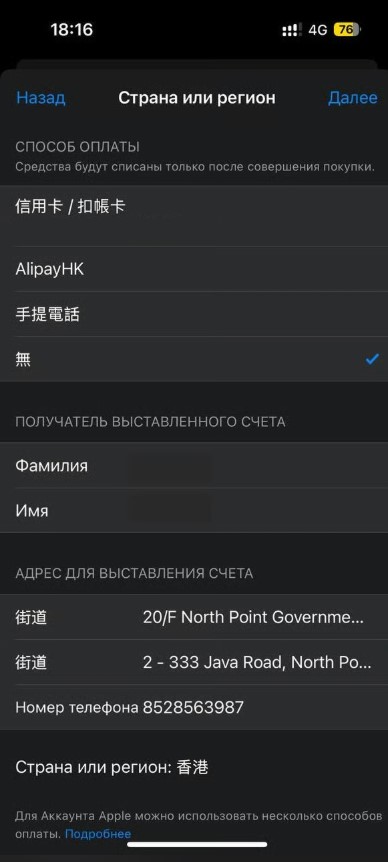
Step 3. Add the card in “Payment & Shipping”
- Open Settings
- Tap Apple ID (your name at the top)
- Open Payment & Shipping
- Choose Credit / Debit Card
- Enter the card details (number, expiration date, CVV)
- Tap Done
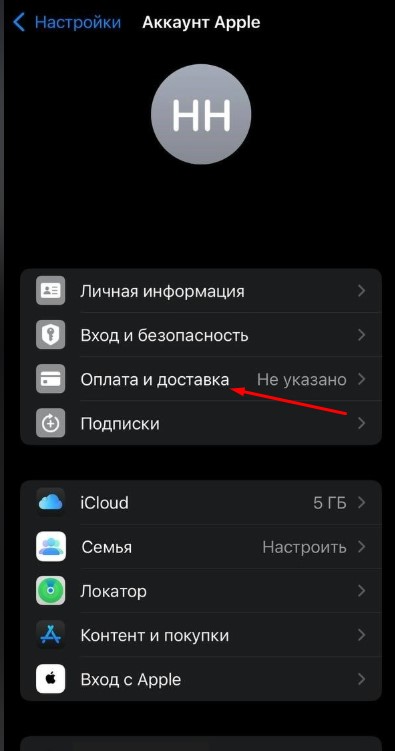
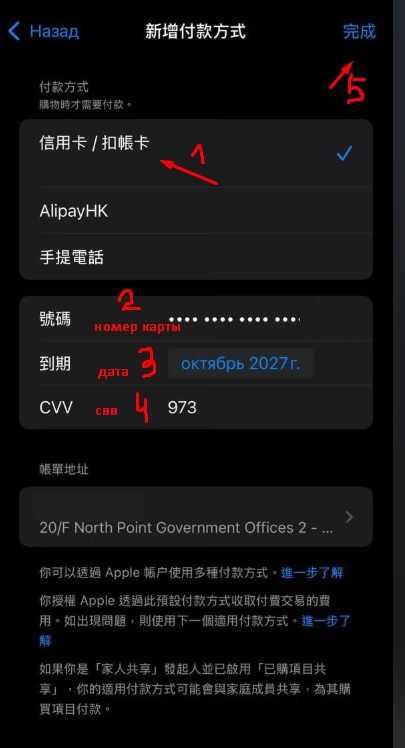
🎉 Done — the card is added and can be used for Apple Store payments.
If it does not work (address error / card verification error)
In Apple Store, most errors like “could not verify card”, “verification error”, or “billing information invalid” almost always mean one thing:
Apple did not accept the billing address or phone number.
What to do (usually fixes it)
-
✅ Make sure the Apple ID region is set to Hong Kong.
-
🧾 Recheck the billing address character by character:
- Address line 1: 20/F North Point Government
- Address line 2: 333 Java Road, North Point, Hong Kong
-
📞 If everything is entered exactly but the error remains — adjust the phone number slightly:
- try 8528563987
- or keep the same pattern and change the last 4 digits to random ones:
852856 + XXXX
-
🏠 If the error still remains — try another real address in Hong Kong:
- open Google Maps
- pick the address of a real building / house
- use it in Address line 1 / 2
- and again try slightly changing the last digits of the phone number
Why does this happen?
Apple checks billing addresses very strictly, and sometimes the same address / phone combination works for one user but not for another.
That is why the most practical method is to change the address to another real one and slightly modify the phone number.
If the problem persists, contact support:
https://t.me/flexy_sup
Attach a screenshot of the error / verification screen.